Features for Relationship-First Networking

NetQnect brings profiles, Qnect requests, events, teams, follow-ups, and AI Concierge support into one relationship loop.

Contextual Profiles

Create personal, business, team, and event profiles so every introduction can carry the right context.

  • Personal profiles for individual networking
  • Business profiles for professional presence
  • Team profiles for shared outward-facing context
  • Profile-specific details, photos, skills, portfolio, and goals
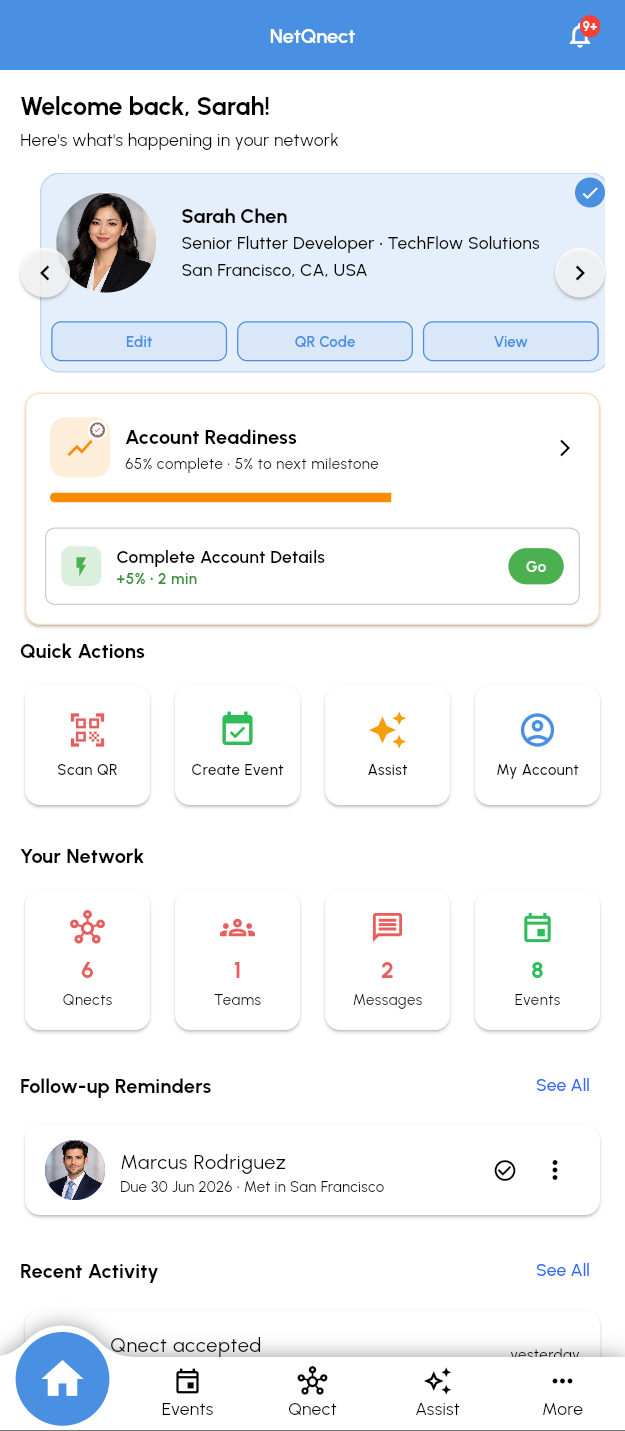
NetQnect home screen with active profile card and account readiness

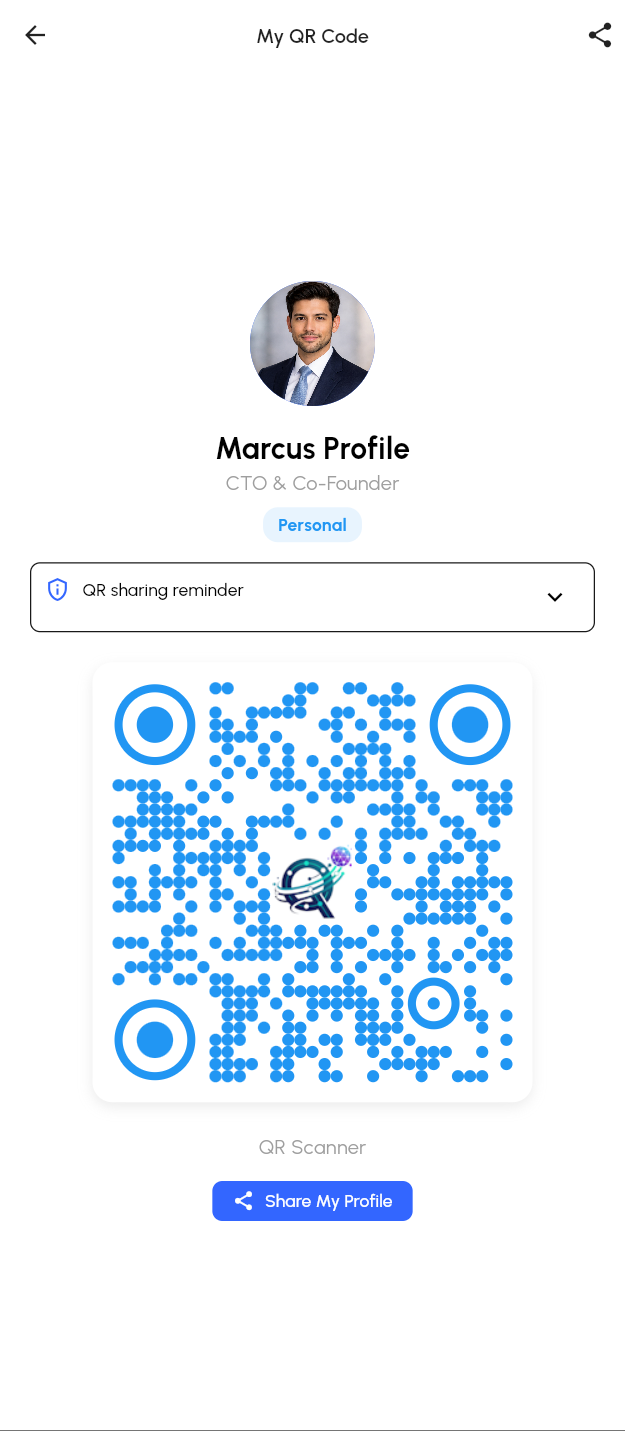
QR Qnect Requests

Move from a quick scan to a structured Qnect request, with profile and event context kept attached.

  • Profile QR sharing
  • QR scanner and manual scan support
  • Event display QR and quick-connect flows
  • Connection-request navigation after scan processing
NetQnect QR Qnect request screen for scanning and sharing profile QR codes

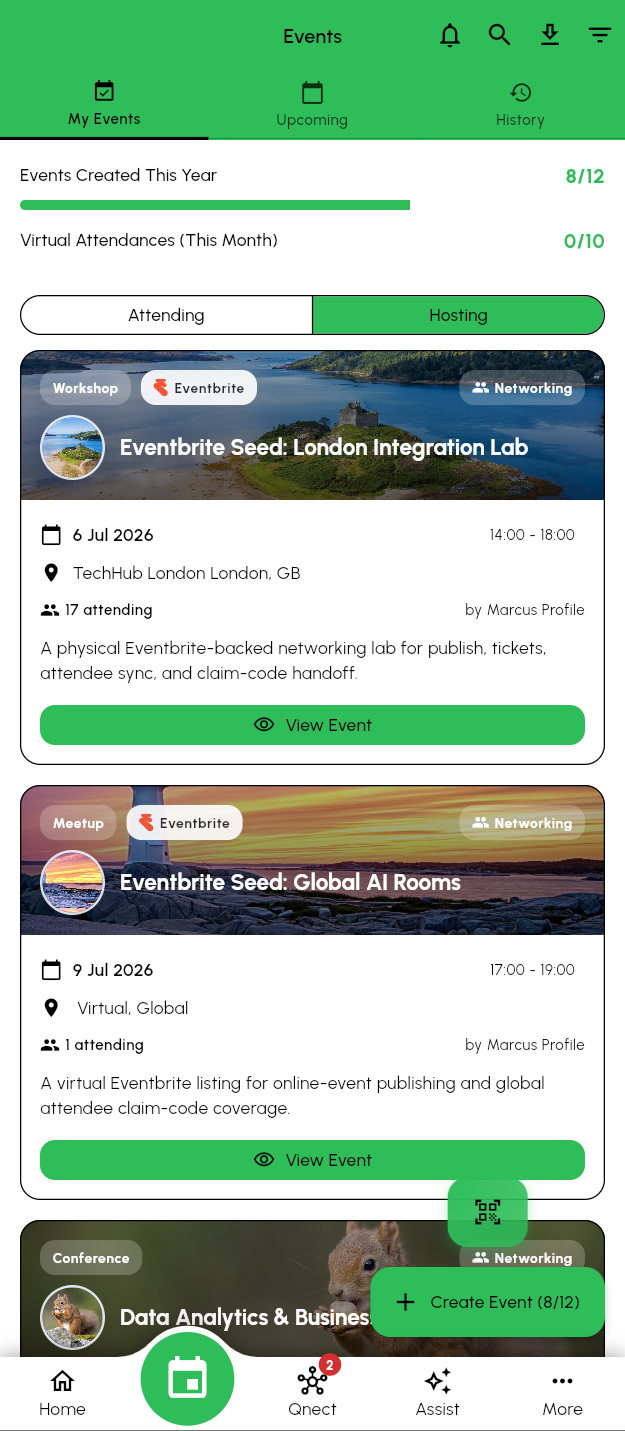
Eventbrite-Connected Events

Create NetQnect events, connect Eventbrite listings, sync attendees, and preserve ticket and claim context.

  • Event creation, registration, waitlist, and check-in flows
  • Eventbrite link, import, publish, refresh, and drift handling
  • Attendee claim-code and verified-email self-claim support
  • Recommended events and attendee fit signals
NetQnect events screen with recommended events and registration actions

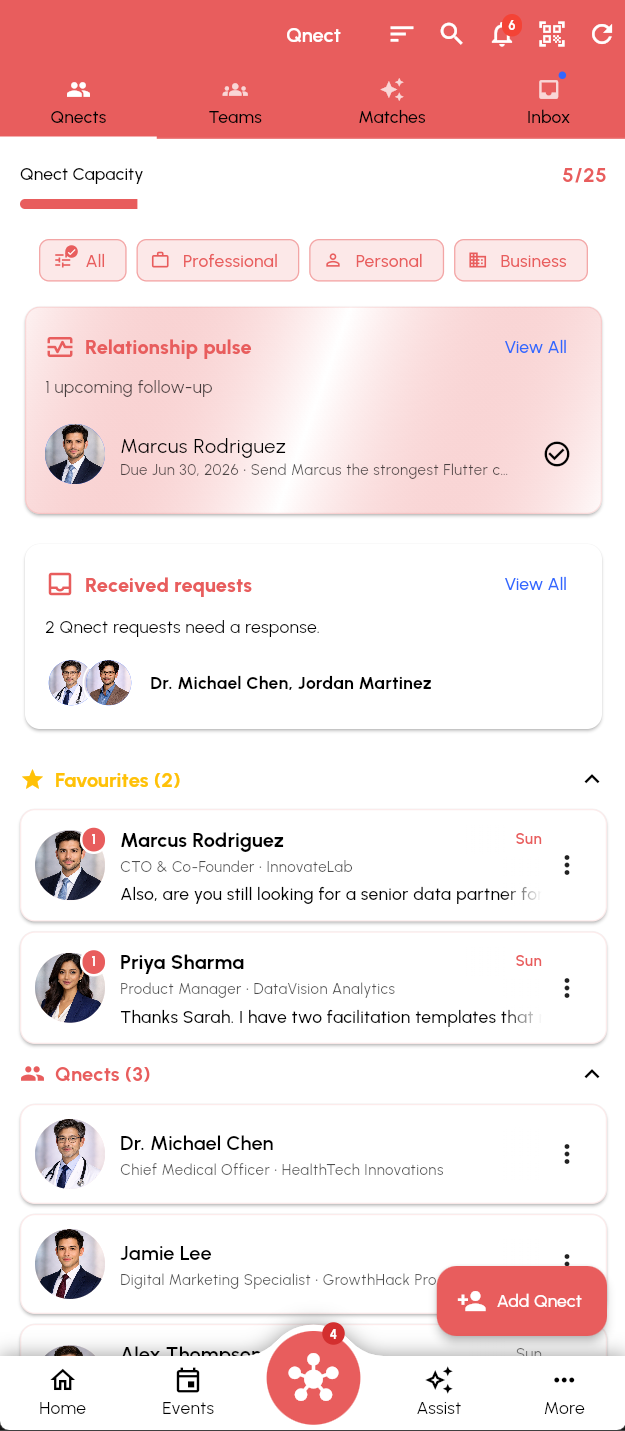
Qnect Relationship Workspace

Keep contacts, requests, messages, favourites, team mates, and relationship tasks in one place.

  • Connection capacity and search filters
  • Inbox for requests and actionable messages
  • Relationship pulse and follow-up reminders
  • Connection detail notes, activity, messages, and contact context
NetQnect Qnect screen showing relationship pulse and contact lists

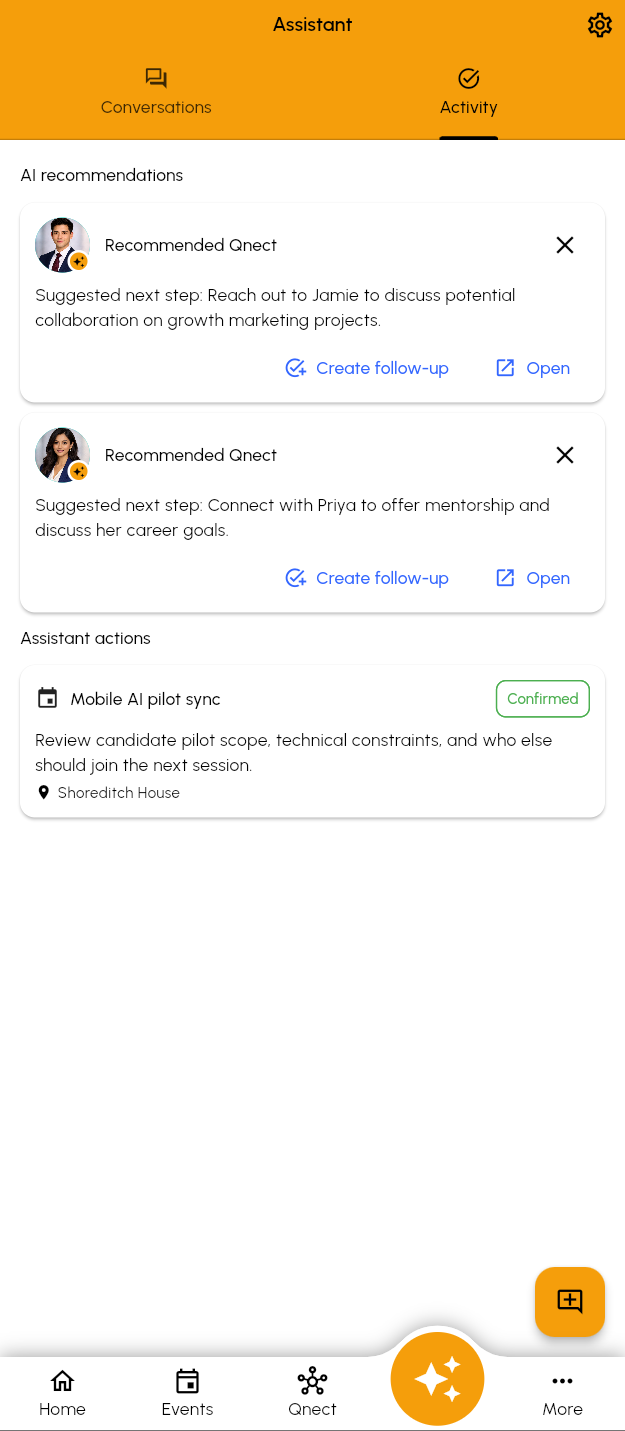
AI Concierge

Use assistant support for profile drafting, relationship context, follow-ups, recommendations, and next-step suggestions.

  • AI-assisted profile drafting from website context
  • Relationship-memory-aware person details
  • Follow-up and meeting workflows through shared backend services
  • Usage, cost, and review foundations for safer AI operations
NetQnect Assistant screen showing recommendations and assistant actions

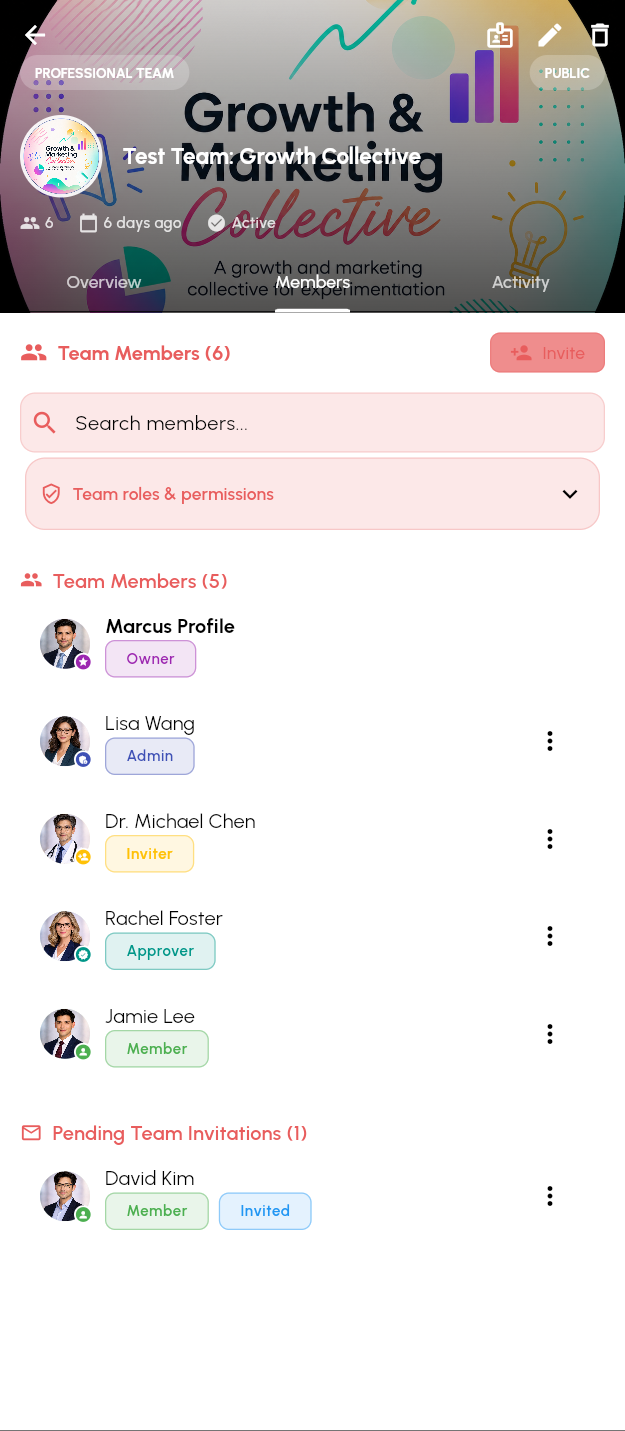
Team Profiles and Shared Presence

Coordinate networking around teams, team-member slots, members, roles, and active team profile presentation.

  • Team creation and membership management
  • Active team profiles in member profile lists
  • Team mate visibility inside Qnect
  • Shared team context for introductions and relationship work
NetQnect teams screen with team profiles and shared presence controls

Built With Guardrails

NetQnect keeps feature growth tied to clear capacity limits, assistant usage controls, review paths, and operational visibility.

Entitlement-aware capacity for team-member slots, teams, profiles, events, Qnections, and AI assistance
Usage tracking for AI-powered background work
Assistant review, trace, and security surfaces for operational oversight
Relationship intelligence foundations for future analytics and recommendations

Choose the Capacity That Fits

Plans scale across team-member slots, teams, profiles, events, Qnections, and AI assistance.